Organize your photo library without moving a single file
Photoreka is the AI curation layer for your photo archive. It sits on top of Lightroom Classic, Google Photos, Dropbox or local folders and analyzes your library once—making it searchable in natural language, scored for quality, and mapped by visual similarity.
No migration. No new catalog. No subscription—pay per analyzed batch.
100% cloud-based: runs in your browser, no install—works the same on Windows, Mac, and Linux.
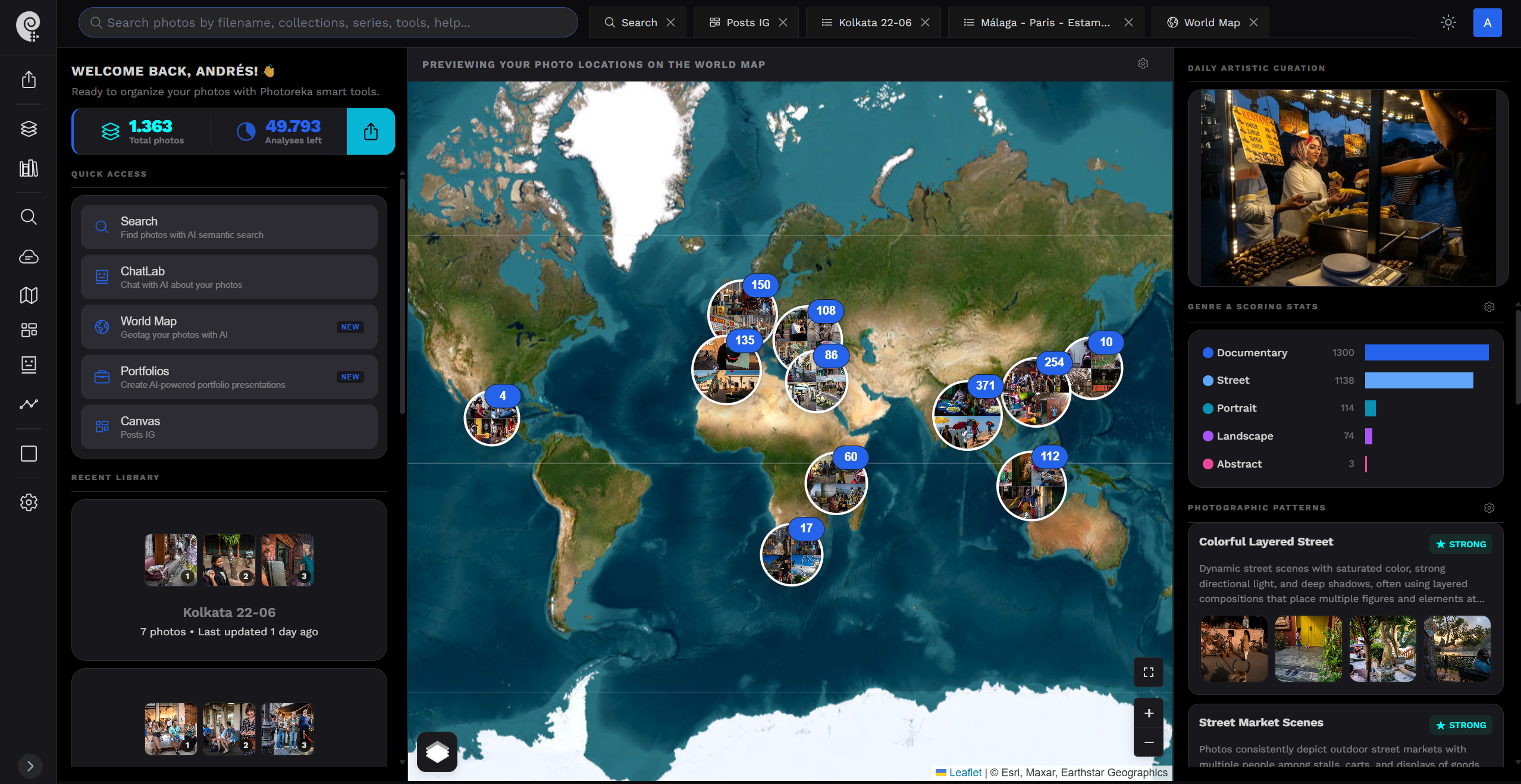
Your storage is fine. Your findability isn't.
Most photo organizers ask you to rebuild your library inside their system. Photoreka takes the opposite approach: your files stay exactly where they are, and the intelligence comes to them.
Works on top of your storage
Lightroom Classic, Google Photos, Dropbox, local folders—Photoreka reads from all of them and organizes across them. Your originals never move, and your folder structure survives untouched.
Cloud-based, runs on any OS
No app to install, no OS-specific build. Photoreka is a web-based AI photo organizer that runs in your browser—open the same catalog from Windows, Mac, or Linux.
Analyze once, organized forever
A single AI analysis pass extracts tags, quality scores, and visual embeddings from every photo. That intelligence persists—no re-processing, no ongoing maintenance, no manual tagging ever again.
No subscription
You pay per analyzed photo batch, once. Most tools charge you monthly to keep accessing your own organization. With Photoreka, an organized catalog is something you own.
Your entire archive, in one image
Once analyzed, every photo you own takes its place on a single map—clustered by what the images actually are, not by the folder they landed in. Dense continents are the work you keep returning to. The dark space between them is the work you haven't made yet.
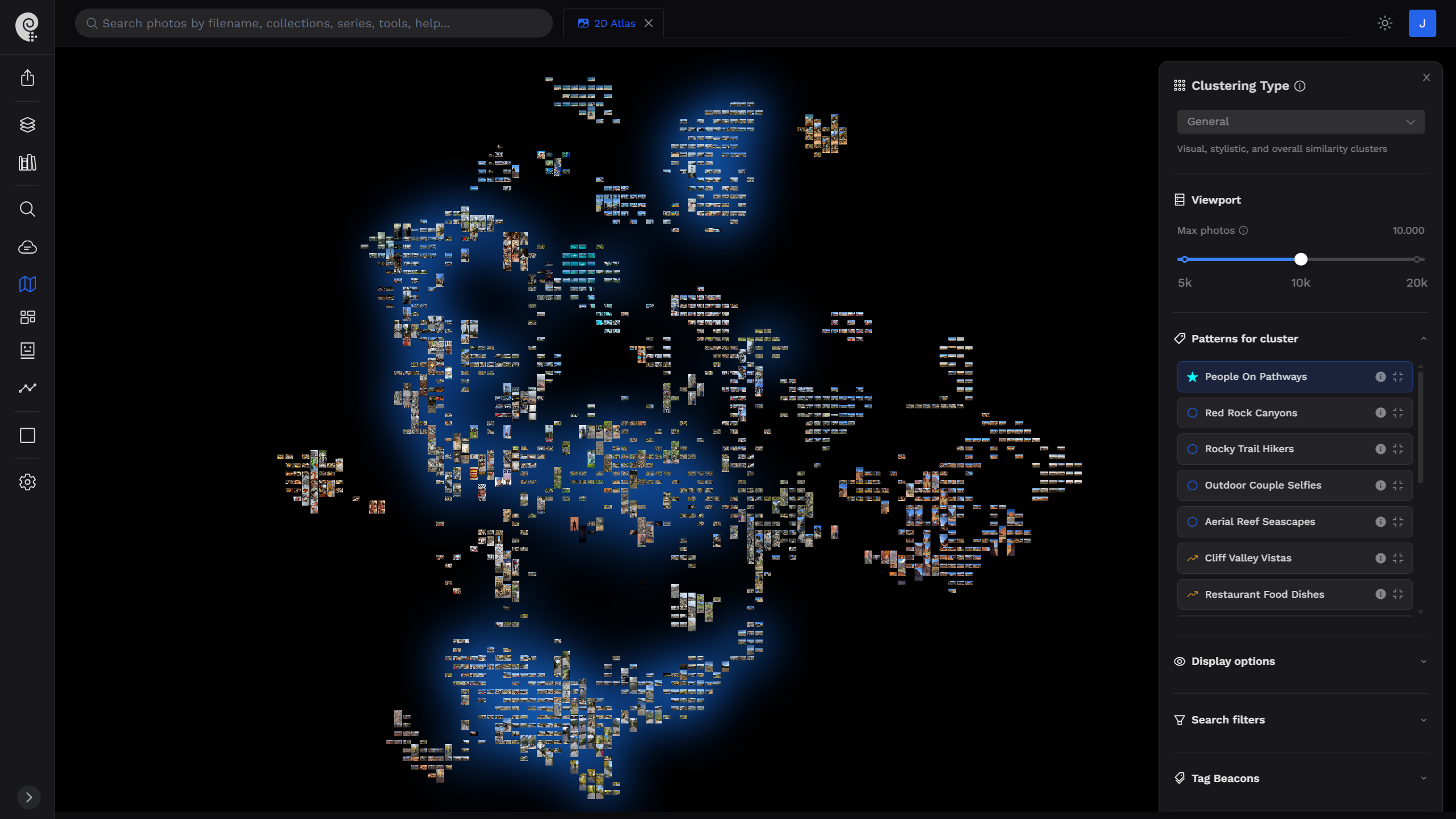
This is organization as a whole, not a folder at a time. Explore the 2D & 3D Atlas →
From folder chaos to organized catalog
One analysis pass replaces years of manual tagging, rating, and album building.
Connect your photo sources
Link your Lightroom Classic catalog via the official plugin, connect Google Photos or Dropbox, or upload local files. Photoreka works from compressed previews—your full-resolution originals stay on your machine.
AI analyzes your library once
Computer vision processes each photo to extract semantic tags, multi-dimensional quality scores, visual embeddings, and near-duplicate signatures. Analysis runs in the background at roughly 1,000 photos per hour.
Your catalog becomes navigable
Search in natural language, sort by quality dimension, browse the tag cloud, fly through the 2D/3D similarity map, or see everything on a world map. Every view is generated automatically—zero manual organization.
Curate from an organized base
Once organized, the real work starts: cull the weak frames, surface hidden gems, and build sequenced selections with the Portfolio Builder—for exhibitions, photobooks, or client delivery.
Everything an AI photo organizer should give you
Organization is not folders and stars. It's being able to find, rank, and understand any part of your archive in seconds.
Natural Language Search
Find any photo by describing it—subject, mood, light, or cinematic reference. Three search modes, no query length limit, no tagging required.
Automatic AI Tagging
Every photo receives semantic tags across mood, environment, subjects, weather, and more—browsable as an interactive 2D tag map of your whole vocabulary.
Quality Scoring & Ranking
9+ scoring dimensions—aesthetics, composition, narrative, originality—rank your entire catalog so your strongest work surfaces automatically.
2D/3D Visual Maps
See your whole archive as a navigable space where similar photos cluster together. Spot themes, gaps, and stylistic shifts no grid can reveal.
Duplicate Detection
Near-duplicate detection flags over-shot sequences and redundant frames, so your organized catalog starts from an intentional body of work.
World Map & Geo Recovery
Photos with GPS land on your world map automatically—and AI geo-inference recovers locations for the archive shots that never had GPS metadata.
Not another DAM. Not another desktop app.
Excire Foto, Peakto, and Mylio are capable desktop organizers —but each one asks something of you: a new catalog to import into, a Mac-only environment, or a monthly subscription. Photoreka asks for none of it.
Frequently Asked Questions
What photographers ask before organizing their library with AI
Your archive, organized by the weekend.
Connect your sources, let the analysis run, and open a catalog that finally answers back. Your files never move.
Using Lightroom Classic? See the official plugin